TrueNAS SMB Share Permissions Setup: A Practical ACL Guide
Configure TrueNAS SMB users, groups, share ACLs, and NFSv4 dataset permissions, then verify access and back up the result.
A clean TrueNAS SMB share permissions setup uses groups, one dedicated SMB dataset, and an NFSv4 ACL. The common failure is configuring only the share ACL, or giving a “read-only” user another group membership that still grants Modify. The steps below follow the TrueNAS 25.10 interface; nearby releases may move a label, but the permission model is the same.
Who this is for / who should skip
This is for a home or small-office TrueNAS system using local accounts and ordinary Windows, macOS, or Linux clients. Budget about an hour for a new share and longer if you are repairing an old permissions tree.
Skip this recipe if the same dataset must be served over both SMB and NFS, or if Active Directory already owns identity and policy. Multiprotocol locking and domain ACLs deserve their own plan. Also stop before changing an existing dataset recursively if you cannot explain its current ACL. Guessing here is how a quick evening job becomes a weekend.
Hardware that works
Permissions are CPU-agnostic. A Beelink S12 Pro, GMKtec NucBox, or Intel NUC 13 can be the client or admin machine; the SMB-serving NAS itself must run TrueNAS. A Synology DS923+ uses DSM for shares, so these screens do not apply to data hosted there. If an N100 box runs TrueNAS, reliable disk attachment and networking matter far more than its CPU.
The stack: one dataset, one policy
There is no docker-compose.yml here. TrueNAS manages Samba as a system service; adding a second Samba container creates two places to debug identities and ACLs, which is more yak than this job needs.
dataset: tank/shares/media
share: media
path: /mnt/tank/shares/media
acl:
  nas_admins: full-control + inherit
  media_rw: modify + inherit
  media_ro: read + inherit
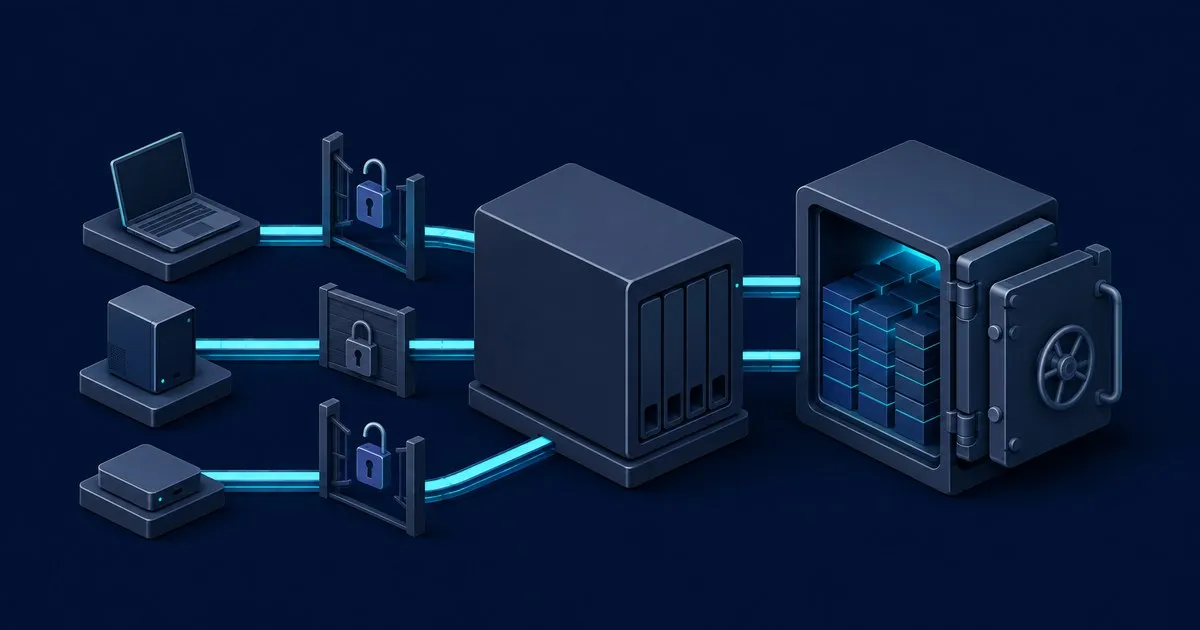
TrueNAS exposes two distinct controls. Edit Share ACL gates access through that SMB export. Edit Filesystem ACL controls the dataset and its files, including access through another share pointing at the same path. A user must pass both, so keep the share ACL uncomplicated and make the filesystem ACL the normal source of truth. The TrueNAS SMB guide documents this split.
TrueNAS SMB permissions setup, step by step
-
Create the identities. Under Credentials, create
nas_admins,media_rw, andmedia_ro, then add each person to the appropriate group. Create or edit each user and confirm Samba Authentication or SMB access is enabled. Do not userootto connect to SMB; TrueNAS explicitly blocks that path. -
Create a child dataset. Under Datasets, select the pool or an organizational parent, click Add Dataset, and choose the SMB preset. Do not share the pool root. A dedicated dataset gives the share its own snapshots, quota, and permission boundary; TrueNAS recommends a child dataset rather than a pool-level share.
-
Open the filesystem ACL. Select the dataset, then Permissions > Edit, or use Shares > SMB > Edit Filesystem ACL. The SMB preset selects an NFSv4 ACL. If starting fresh, apply the restricted preset first, because choosing a preset later replaces custom entries.
-
Add group ACEs. Add Allow entries for
nas_adminswith Full Control,media_rwwith Modify, andmedia_rowith Read. Enable inheritance for each so new files and directories receive the policy. The ACL editor documentation explains the Read, Modify, Traverse, Full Control, and inheritance choices. -
Audit broad memberships. TrueNAS can place SMB users in
builtin_users, and that group can carry Modify access. A Read ACE does not cancel Modify granted by another Allow ACE. Remove read-only people from the broader write group or narrow that broad ACE. Avoid Deny entries unless you can map every inherited permission; they are effective, but rarely pleasant six months later. -
Handle parent traversal. If the share dataset sits below parent datasets, grant the read-only group Traverse on every parent in the path. Do not grant it permission to list unrelated parent contents.
-
Create the share. Go to Shares > Windows (SMB) Shares > Add, select
/mnt/tank/shares/media, name itmedia, and save. Leave guest access off. Start SMB and enable automatic start. Edit the Share ACL only if you need an additional SMB-level restriction, and make sure it does not contradict the filesystem ACL.
For an existing file tree, select recursive application only after taking a snapshot. It rewrites child permissions; that checkbox has ruined more evenings than any sophisticated Samba bug.
Test the result from a client
Windows reuses SMB sessions, so disconnect before switching test users. In PowerShell, adjust the host and share if needed:
$server = "truenas"
$share = "media"
net use "\\$server\$share" /delete /y
net use Z: "\\$server\$share" /user:media_reader *
As media_reader, opening a file should work while create, rename, and delete should fail. Repeat as a writer; all four should work. Repeat as an administrator and confirm ACL management. If Windows still presents the wrong identity, disconnect all remembered SMB mappings with net use * /delete /y, knowing that this closes every mapped SMB session on that client.
Storage and backups
Take a manual snapshot immediately before any recursive ACL edit, then schedule snapshots under Data Protection > Periodic Snapshot Tasks. Snapshots are fast rollback points, not independent backups; the TrueNAS snapshot guide notes that they do not copy the data.
For a real target, replicate tank/shares/media to backup/media on a second TrueNAS or compatible ZFS system. Remote replication preserves the ZFS dataset history away from the source box. The restore drill is simple: restore the latest snapshot into a temporary dataset, publish a temporary SMB share, and repeat the reader/writer tests. Do that periodically, not for the first time after a pool failure.
Networking
On the LAN, allow TCP 445 only from client VLANs to the TrueNAS address. Do not port-forward SMB. Microsoft recommends blocking unsolicited internet SMB traffic at the perimeter, including TCP 445.
For remote access, Tailscale is the practical default: TrueNAS SCALE offers an official app, and clients connect inside the Tailnet using MagicDNS and an ACL tag such as tag:nas. See Tailscale’s NAS integration. Cloudflare Tunnel can carry SMB, but its documented setup requires private routing with the Cloudflare One client or cloudflared on each client. That is useful for an existing Cloudflare Zero Trust deployment, but extra machinery for one household share. A reverse proxy, ACME certificate, and DNS-01 challenge solve HTTP problems, not native SMB.
Operations
Update TrueNAS manually after a fresh snapshot; Watchtower and Renovate do not manage this system service. Use System > Audit and filter for SMB authentication when access fails. Enable file-operation auditing only for selected groups, because TrueNAS warns that broad SMB auditing can grow quickly and add I/O. Configure email alerts for failed snapshots, replication, pool health, and a stopped SMB service. For wider NAS and ransomware advisories, Tech Sentinel News is a useful sister-site feed.
Sources
- TrueNAS 25.10: Managing SMB Shares
- TrueNAS 25.10: Configuring ACL Permissions
- TrueNAS 25.10: Adding Periodic Snapshot Tasks
- TrueNAS 25.10: Setting Up a Remote Replication Task
- Tailscale: Connect to Network Attached Storage
- Microsoft: Preventing SMB Traffic From Entering or Leaving the Network
- TrueNAS 25.10: SMB Service and Auditing
Related

TrueNAS Print Server: Running CUPS as an App
TrueNAS ships no print service at all. What it takes to run CUPS as a container app, share a USB printer, and why discovery needs host networking.

TrueNAS Storage Planning: Pools, Datasets and Shares
How TrueNAS layers storage, from vdev shape and dataset properties through to SMB and NFS sharing, and which of those choices are hard to undo later.

TrueNAS Hardware Sizing: RAM, HBA, NIC and Boot Disk
Size TrueNAS hardware with the current 8 GB base, per-drive RAM rules, IT-mode HBA guidance, boot SSD minimums, and network limits.